Home is where you land every time you log in. It's built to answer one question in five seconds: what should I do right now?
The setup guide (first run only)
Brand-new accounts see a setup guide at the top with six short steps: watch the intro, connect your email, set up your phone number, create your first campaign, add your leads, and start sending. Each step has one line on what it's for and a button that takes you straight there; the next step is highlighted and a bar shows how far you are. Only email? Click Skip — I only use email on the phone step. The guide hides itself once you've finished, or you can hide it with Dismiss and bring it back from Settings → Profile → Show the setup guide. The sidebar shows your progress next to Home (for example 2/6) until you're done.
The KPI strip
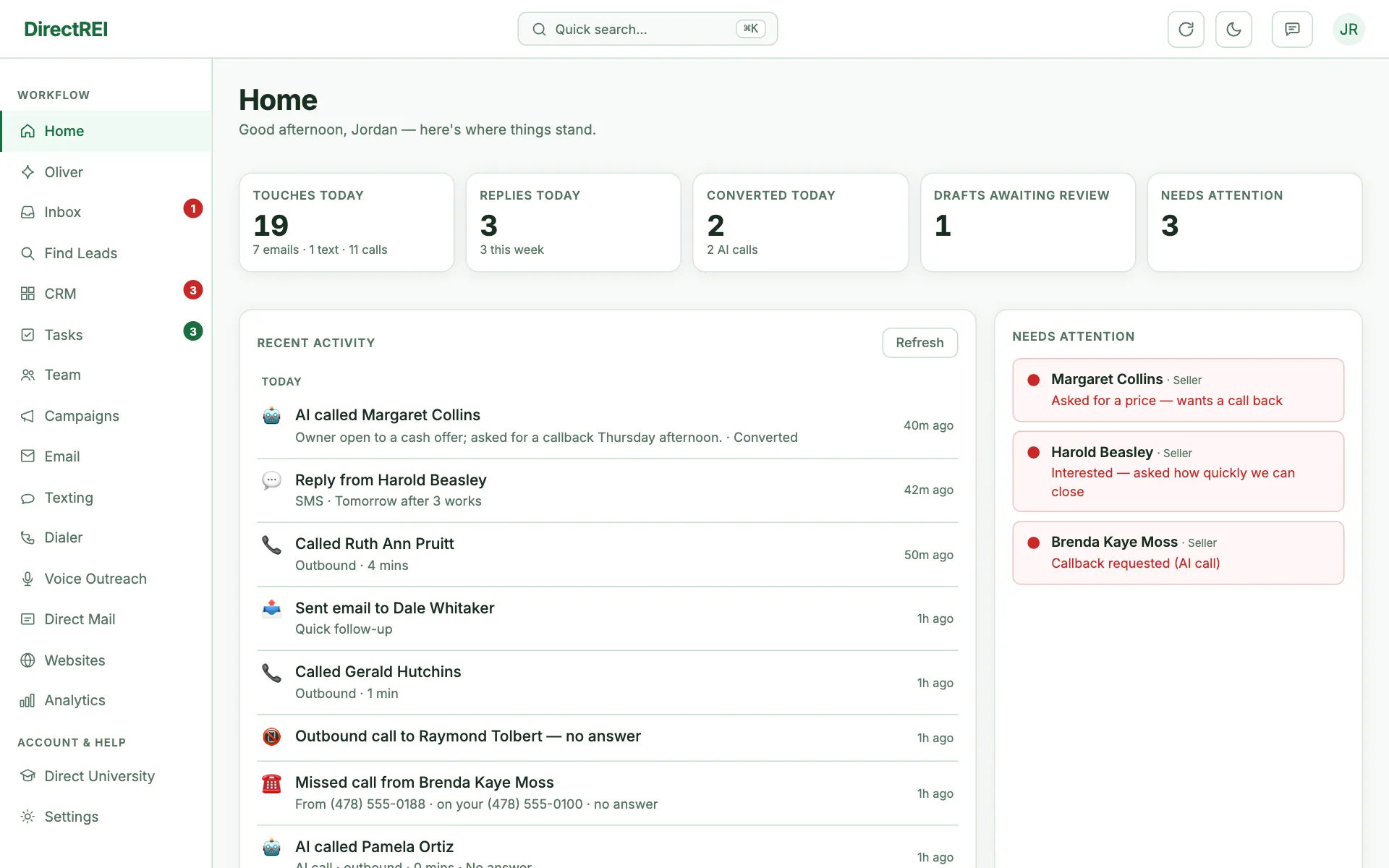
Five cards across the top reflect today's state. Each is clickable:
- Touches today → every outbound touch since midnight across all channels — emails, texts, calls, voicemail drops, and mailers — with the per-channel breakdown underneath. Click to jump to the activity feed.
- Replies today → opens a list of every buyer, seller, and other contact whose reply landed today; Open on a row opens their card.
- Converted today → leads that converted since midnight on any channel: AI calls that reached the campaign goal, dialer "Interested" dispositions, and replies the AI marked qualified. Click for the list. (A conversion does not by itself raise a Needs-attention flag — this box is where conversions show up.)
- Drafts awaiting review → opens the AI Drafts inbox (replies the AI wrote in draft mode, waiting for your approval).
- Needs attention → opens a list of every red-flagged contact (missed calls, callback requests, opt-outs, deal mentions), newest first.
Next-action cards
Below the KPIs, Direct REI surfaces the highest-leverage thing to do right now — review pending drafts, reconnect a mailbox that's gone red, or work your flagged contacts. These are dismissable for the session; they come back on reload if the underlying thing still needs handling.
Recent activity feed
The left column shows your last 25 events across every channel — inbound replies, AI drafts, calls logged, recent sends, and any send failures — newest first. It updates live as new activity comes in. Hit Refresh to force a reload.
Quick actions
The right column has shortcut buttons for the things you do most: Find new contacts, Open the CRM, Send a campaign, Edit a sequence, View analytics.
A simple daily routine
- Clear Needs attention first — these are live humans waiting on you.
- Review the Drafts inbox if you run any campaigns in draft mode.
- Skim the activity feed for anything notable.
- Then go do new outreach (Find Leads → send a campaign, or run a Dialer session).
What's next
Get your contacts organized in The CRM: contacts, tags & the deal pipeline.